Press
AI design that actually prints.
Popcorn Editor is a browser-based design editor built for print production: CMYK and spot colors, dielines, imposition, and PDF/X export through its own client-side RIP. AI assistants, built in or connected over MCP, work with the same print pipeline. This page collects everything needed to write about it.
In 50 words
Popcorn Editor is a browser-based design editor built for print production. It authors documents in CMYK with spot colors, generates dielines, imposes sheets, and exports PDF/X through its own RIP running client-side. A built-in AI assistant and an open MCP interface produce the same press-ready output.
In 100 words
Popcorn Editor is a design editor that runs in the browser and treats print as a first-class output. Documents are authored in CMYK with named spot colors. The editor previews separations and ink coverage on screen, generates dielines from artwork, imposes step-and-repeat sheets, and exports PDF/X-4 or PDF/X-1a with an embedded ICC output intent. The print engine is Popcorn's own RIP, written in-house, about 21,000 lines of Go compiled to WebAssembly. A built-in AI assistant creates and edits designs in plain language, and external agents such as Claude and ChatGPT connect over an open MCP interface to do the same print-grade work.
In het Nederlands
Popcorn Editor is een ontwerpeditor in de browser, gebouwd voor printproductie. Documenten worden in CMYK opgezet met steunkleuren; de editor genereert stanslijnen, zet vellen op met impositie en exporteert PDF/X via een eigen RIP die client-side draait. Een ingebouwde AI-assistent en een open MCP-interface leveren dezelfde drukklare output.
Nederlandstalig persmateriaal is beschikbaar op aanvraag.
Product screenshots
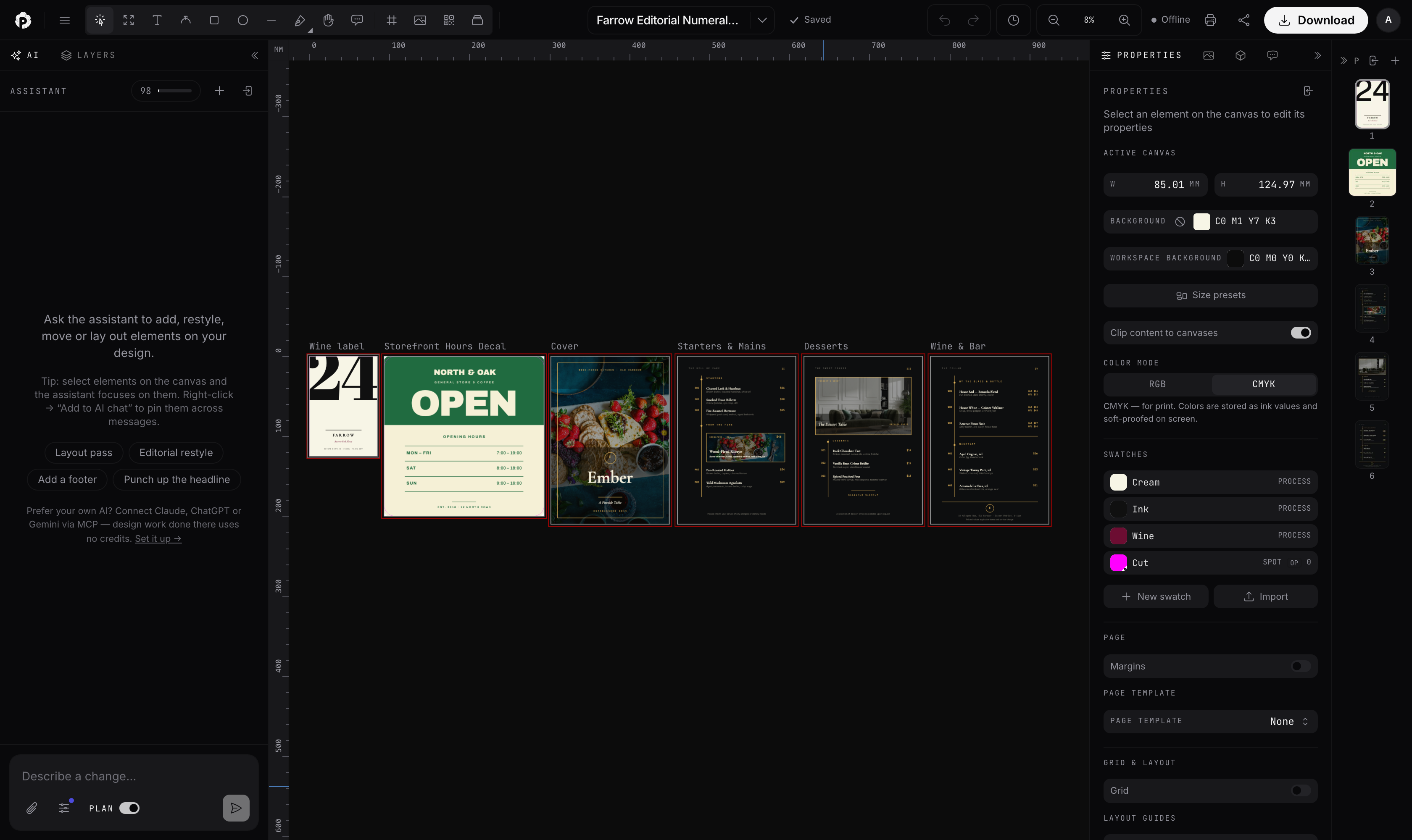
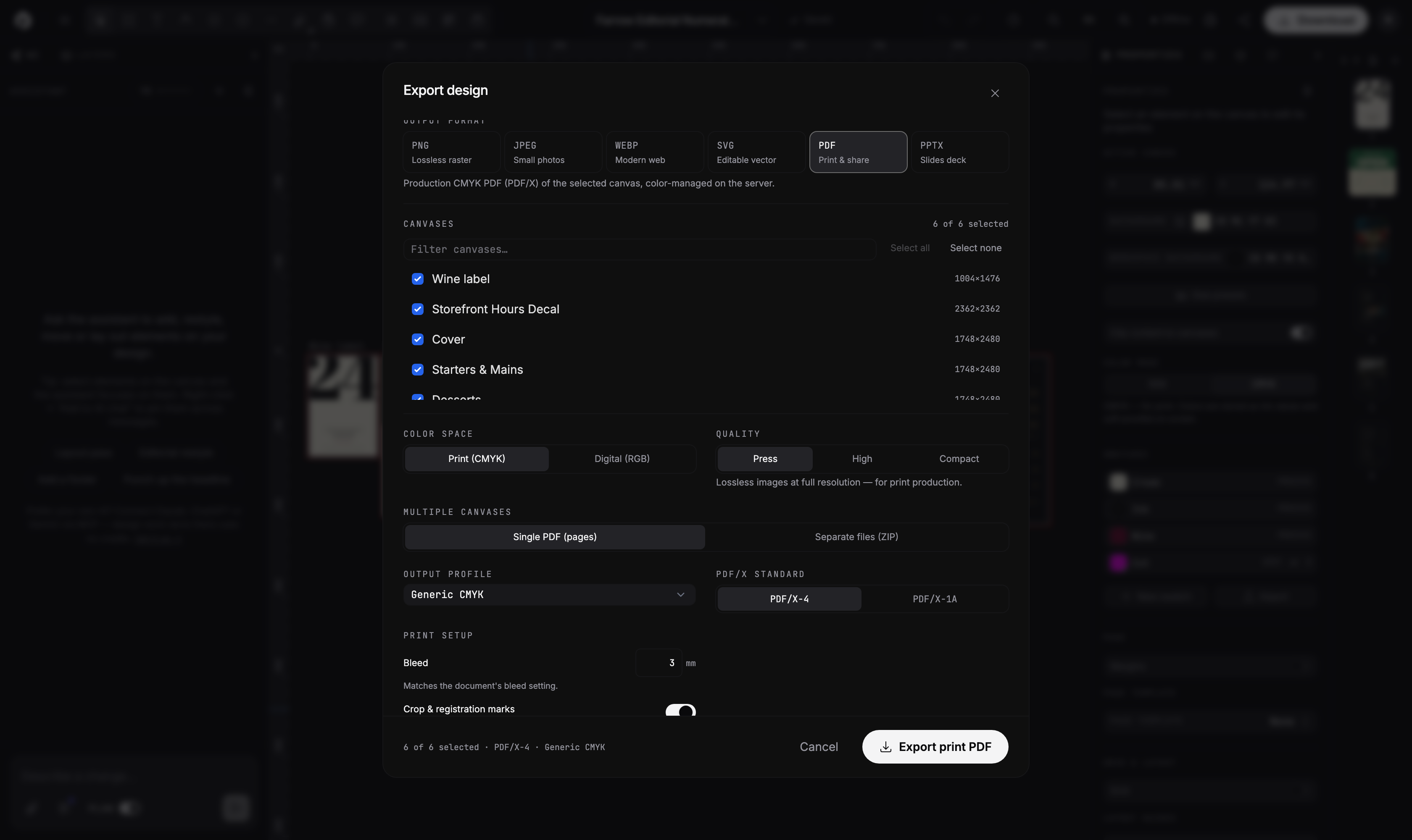
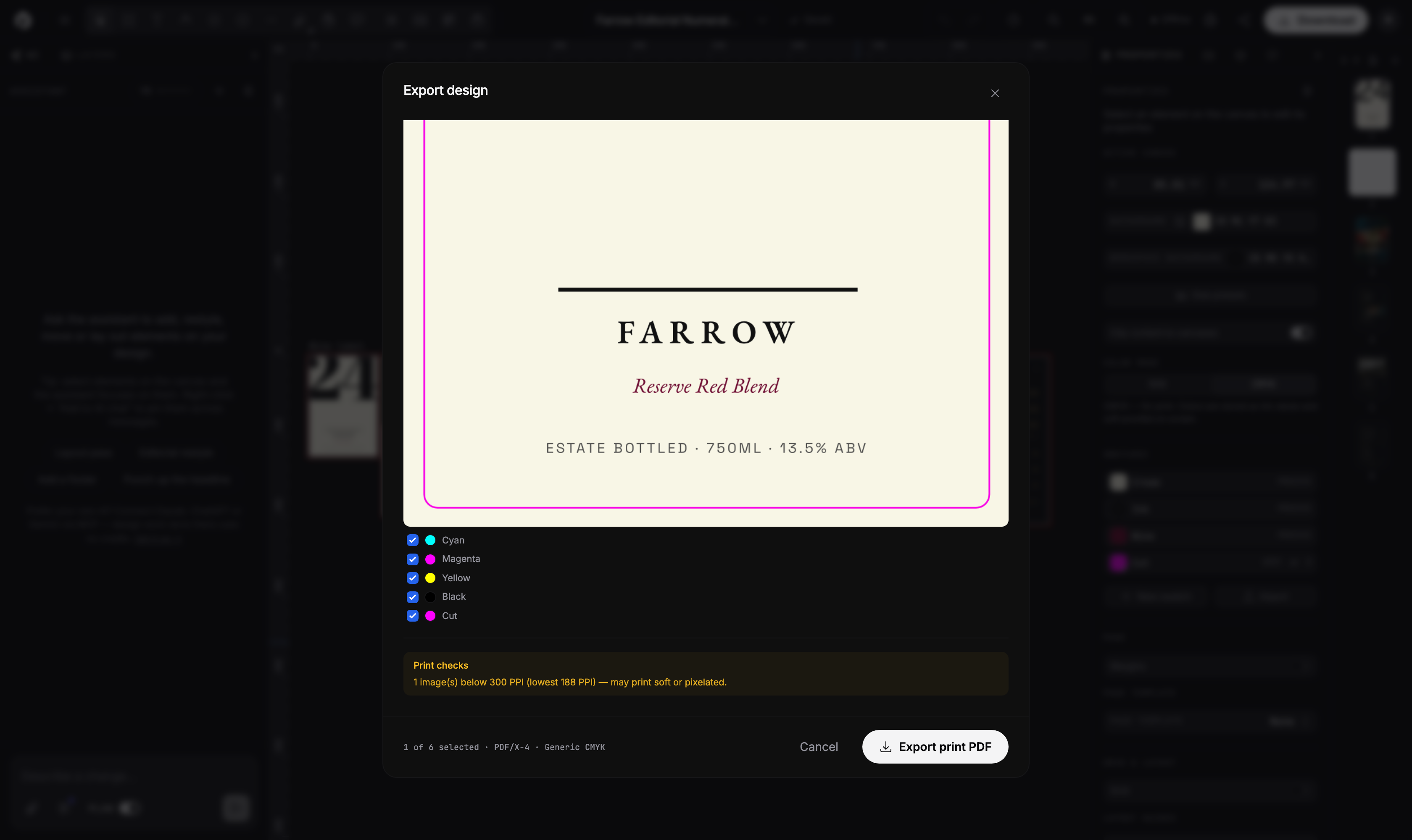
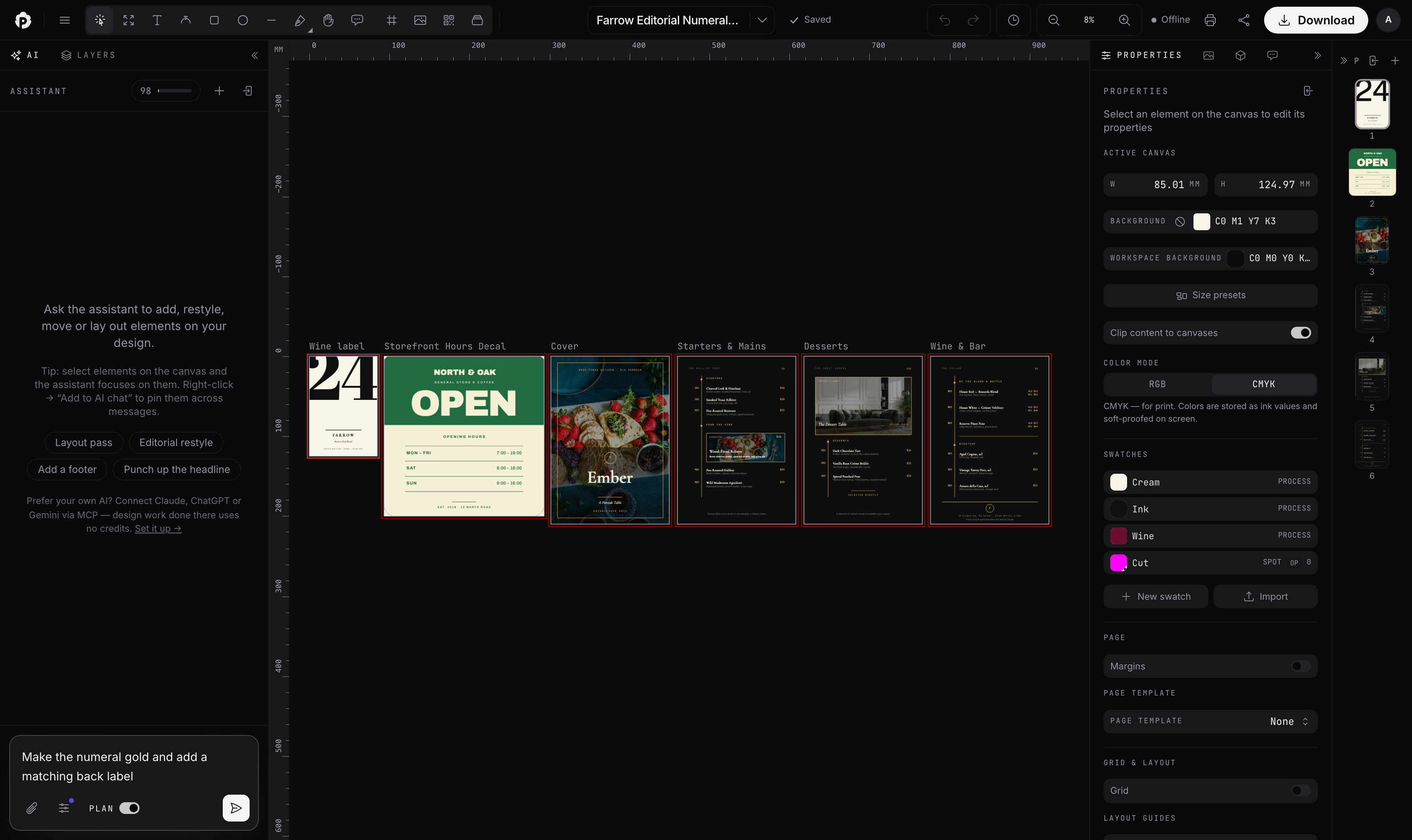
Fact sheet
| Product | Popcorn Editor (the UI wordmark reads "Popcorn") |
| Website | popcorneditor.com |
| What it is | Browser-based design editor for print and digital work |
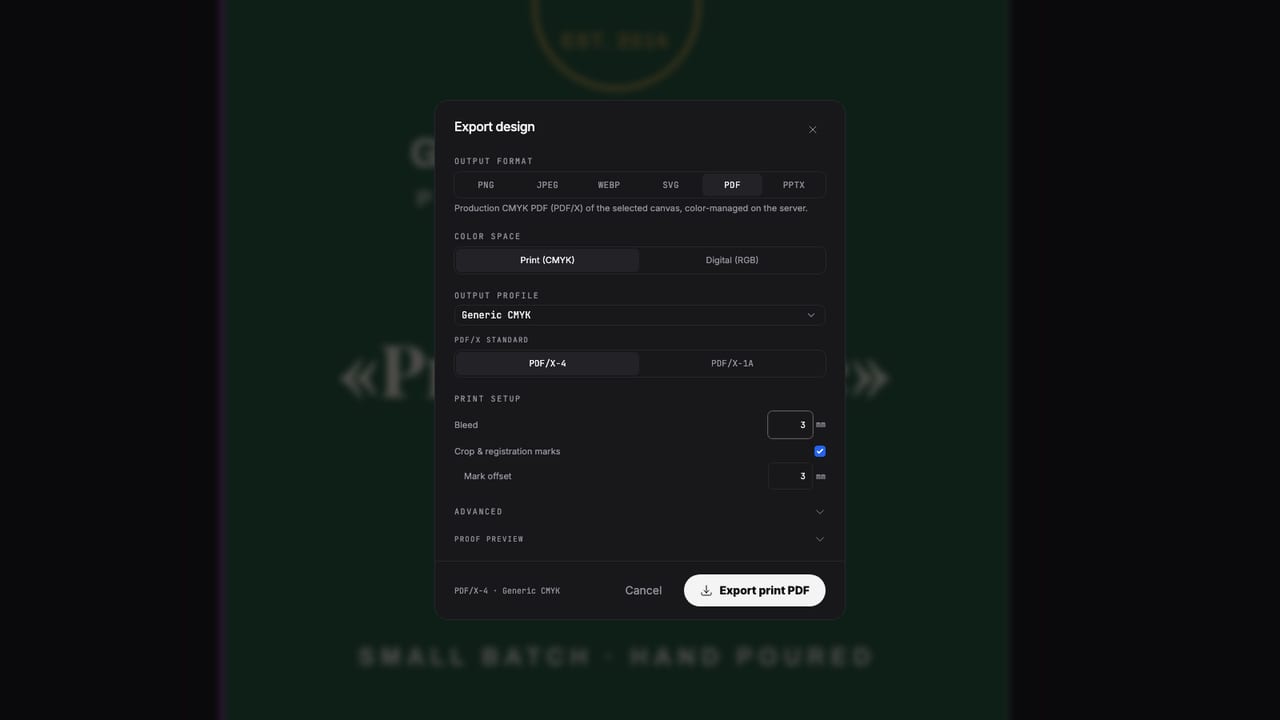
| Print output | PDF/X-4 and PDF/X-1a with ICC output intent; CMYK; named spot colors with separations, tints and overprint; dielines; imposition; bleed; crop and registration marks |
| Print engine | Own PDF RIP: about 21,000 lines of Go, written in-house, compiled to WebAssembly, runs client-side in a Web Worker |
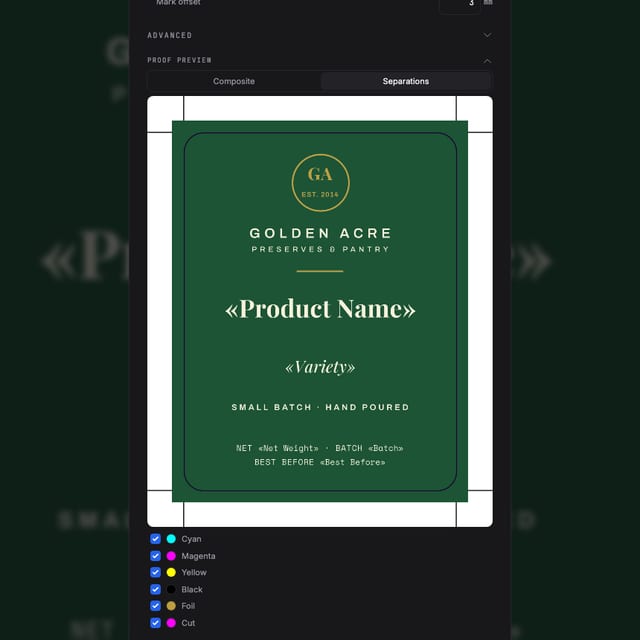
| Preflight | Total ink coverage, hairlines, image PPI, spot ink audit; separations and composite proof on screen |
| AI, built in | Conversational assistant on the canvas; one-shot design generation; multiple AI providers |
| AI, external | Open MCP server so agents like Claude and ChatGPT can create and edit designs; schema-validated writes; on paid plans |
| Export | PDF, SVG, PNG, JPEG, WebP, PPTX |
| Import | PDF, AI, SVG, PSD, as editable objects |
| Variable data | CSV/TSV merge to pages or to cells on imposed sheets |
| Layout | Master pages, spreads, threaded text with autoflow, tables, table of contents, baseline grid, text wrap |
| Extras | Vector QR and barcodes; real-time collaboration; share links; sandboxed plugins; desktop app |
| Pricing | Free plan; paid plans from $19 per month (see pricing) |
Downloadable materials
- popcorn-mark.svgmaster logo mark, monochrome vector (white; place on dark)
- popcorn-mark-color.svgcolor variant of the mark
- icon-512.pngapp icon, 512 px, dark plate
- og-image.png1200 x 630 lockup card with tagline
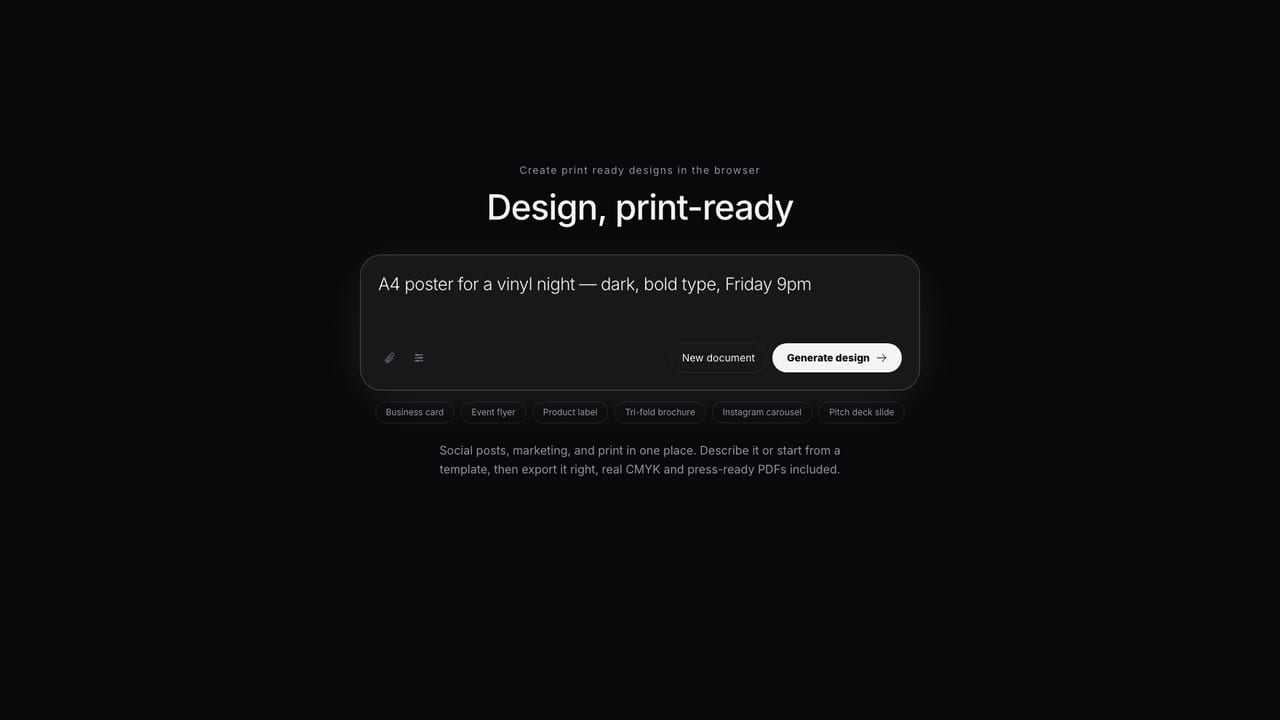
- screenshot-editor.pngeditor workspace (real working document)
- screenshot-export-dialog.pngprint export dialog
- screenshot-separations.pngseparations proof with spot plate
- screenshot-agent.pngAI assistant panel
- print-export-hero.jpgcampaign still
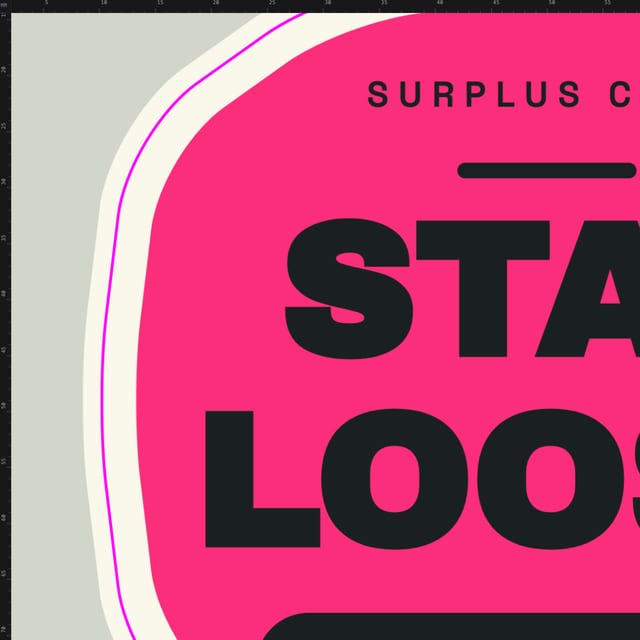
- dieline-loop.jpgcampaign still
- separations-loop.jpgcampaign still
- ai-prompt-hero.jpgcampaign still



The mark is white; place it on dark backgrounds, or use the app icon which carries its own plate. Brand fonts (Inter, JetBrains Mono, Instrument Serif) are SIL OFL licensed. Call the product "Popcorn Editor" on first mention, "Popcorn" after that. On PDF/X please say "emits PDF/X-4 / PDF/X-1a"; we do not claim third-party certification.