For packaging makers & small brands
Packaging artwork, press-correct.
Design boxes, sleeves, pouches and cartons in the browser, with the dieline on its own spot plate, white ink where the substrate needs it, and real CMYK throughout. Export the file your converter accepts first time.
Free to start · Works with any converter or print shop
The problem
“The dieline is on the wrong layer, again.”
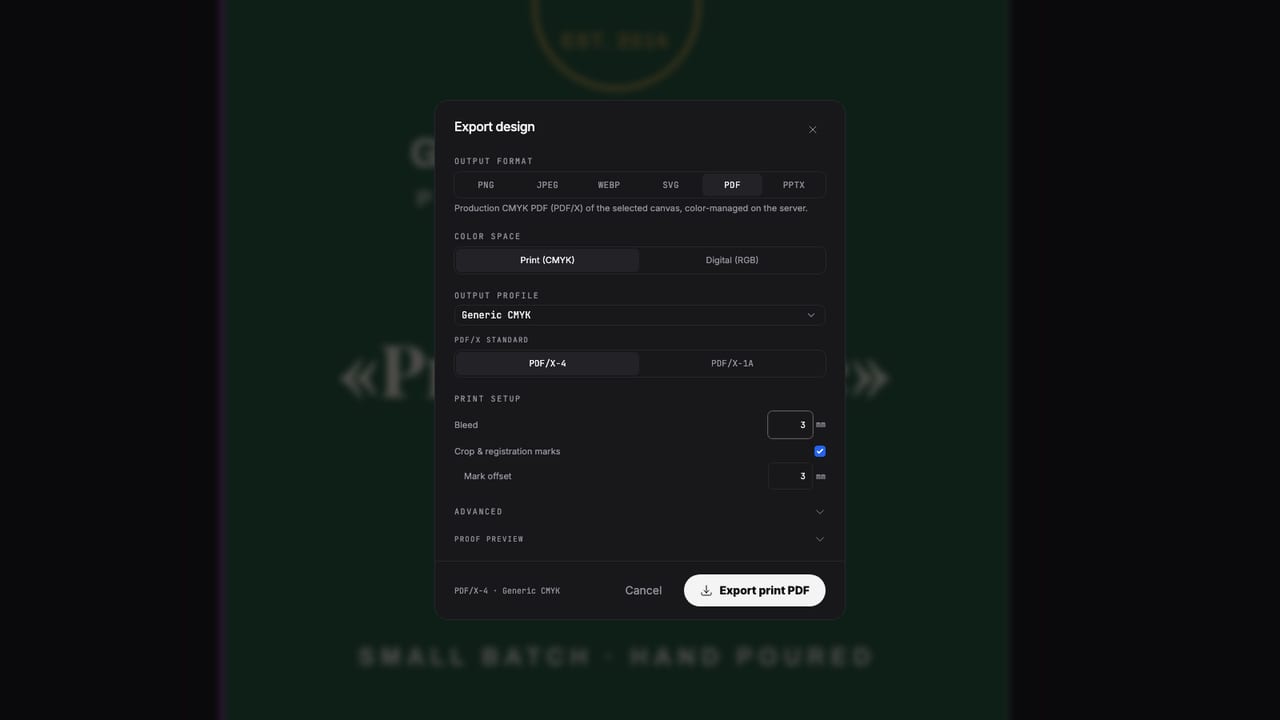
Packaging files get bounced for the same handful of reasons: the cut line baked into the artwork, RGB color on a CMYK job, white ink missing on a kraft or clear substrate. Popcorn treats plates as first-class. Cut, white, varnish and every spot ink live on named separations from the start.
Made with Popcorn
Start from a real packaging design
Boxes, sleeves and labels that open straight in the editor. Swap the artwork; the dieline, bleed and color setup are already done.
 Amble Fragrance Folding Carton
Edit this template →
Amble Fragrance Folding Carton
Edit this template →
 Farrow Editorial Numeral Label
Edit this template →
Farrow Editorial Numeral Label
Edit this template →
 Botanical Tonic Wraparound Label
Edit this template →
Botanical Tonic Wraparound Label
Edit this template →
 Kiln Roastery Cup Sleeve
Edit this template →
Kiln Roastery Cup Sleeve
Edit this template →
 Fast-Charger Carton Net
Edit this template →
Fast-Charger Carton Net
Edit this template →
 Ember & Oak Candle System
Edit this template →
Ember & Oak Candle System
Edit this template →
 Product Box Front Panel
Edit this template →
Product Box Front Panel
Edit this template →
 NOON Box Sleeve
Edit this template →
NOON Box Sleeve
Edit this template →
How it works
Dieline to production file
Start from the dieline
Import the PDF or SVG dieline your converter sent, and it comes in as editable vectors on its own spot swatch. Or start from a packaging template with the setup already done.
Design in plates, not just colors
Real CMYK plus named spot inks, white ink where the substrate needs backing, varnish or foil where the finish calls for it. Each applied like any color, each on its own plate.
Proof the plates, then export
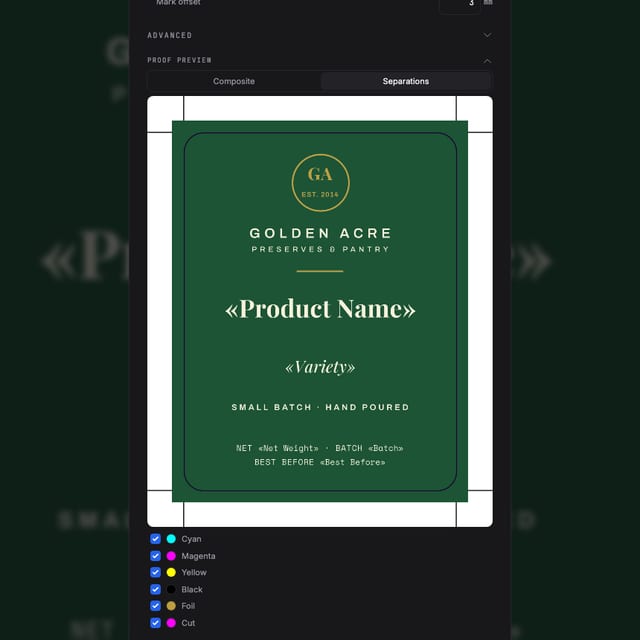
Preview every separation on screen with overprint, run preflight for ink coverage and resolution, and export one PDF/X-4 with all plates named the way prepress expects.
Why files pass
Built for the converter's checklist
The dieline stays a dieline
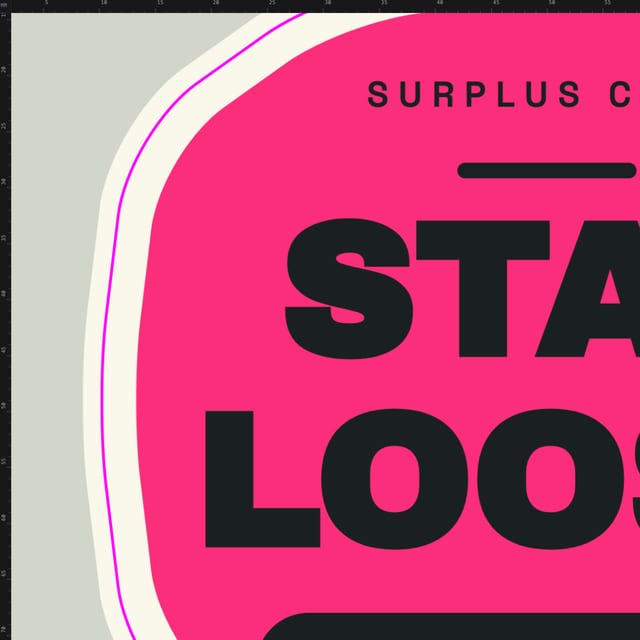
Cut and crease paths export as named spot-color separations that knock nothing out, the convention every converter keys their tooling on.
White ink as a real plate
A White Ink purpose swatch exports as a genuine named White separation with overprint set correctly, for kraft, clear film and metallic substrates.
Separations you can inspect
An on-screen plate preview shows each ink (process, spot, white, cut) before export, so surprises happen on screen, not on press.
Preflight for board and film
Total-ink-coverage, hairline and low-resolution checks run in the editor and again in the RIP, the same checks your converter runs on arrival.
Questions
Before you send it to the converter
Can I use the dieline template my packaging converter sent me?
Yes. Import it as PDF or SVG and it comes in as editable vector paths. Put it on its own spot-color swatch (a Die Cut purpose swatch is built in) and design under it; it exports as a separate plate, exactly how converters ask for it.
Does it generate box dielines (FEFCO styles) for me?
No, it doesn't engineer box structures. It imports the structural dieline your converter provides, and it can generate offset cut contours from flat artwork (labels, sleeves, blanks). The artwork side (spot plates, white ink, overprint, preflight) is what it owns.
How does white ink work?
White ink is a spot swatch with its purpose set to White Ink. You apply it to the objects that need it, such as an underlay shape on kraft or clear substrate, type, or a logo, and it exports as a real, named White plate with overprint set correctly. You control the coverage; nothing is generated behind your back.
What does my packaging printer actually receive?
A press-ready PDF/X-4 with real ICC CMYK, every spot ink and finish as its own separation (with Lab alternate values where defined), the dieline on its own plate, and overprint preserved. Preview the plates on screen before you send it.
What does it cost?
Free to start. Design and export your first files without paying. Paid plans add AI credits and production features; pricing is on the pricing page.
Start now
Your packaging file, accepted first time.
Free to start. Design and export your first packaging artwork today.
Also looking at spot colors, white ink & finishes, the full print pipeline ?