Production capability
Every plate, on purpose.
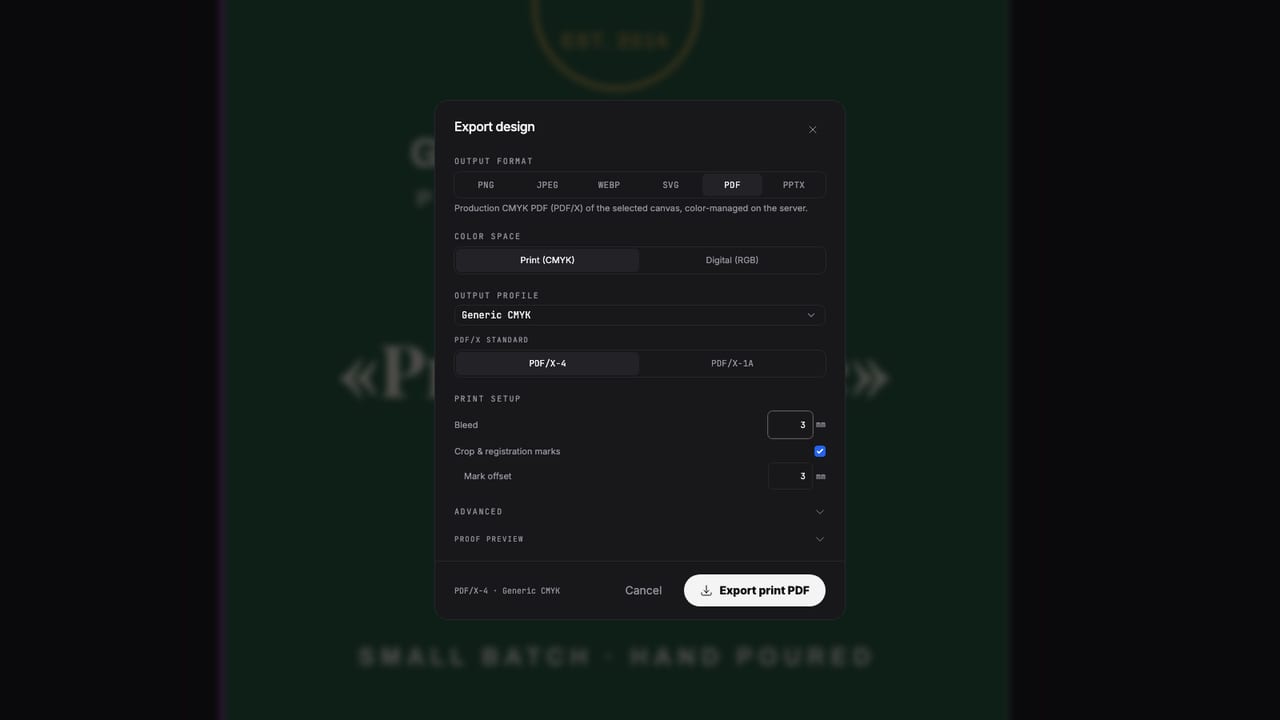
Give a swatch a purpose (spot ink, white ink, varnish, foil, spot UV, die cut) and it exports as its own named separation with overprint set correctly. Preview each plate on screen before anything reaches the press.
Free to start · Nothing to install
The problem
Finishes are where online tools give up.
White ink, foil, varnish and cut lines aren't colors. They're plates. Tools that only know RGB flatten them into the artwork, and the press operator gets a file with nothing to separate. Popcorn keeps every finish a named colorant from the first click to the exported PDF.
How it works
Swatch to separation
Name the ink
Create a swatch and set its purpose: a brand spot ink with Lab values, white ink, varnish, foil, spot UV, or a die/kiss-cut line. Import your own color books if you work from one.
Apply it like any color
Fill shapes, type or paths with it, tints included. Overprint behavior is set by the purpose, so varnish and cut lines don't knock out the artwork underneath.
Proof the plates, then export
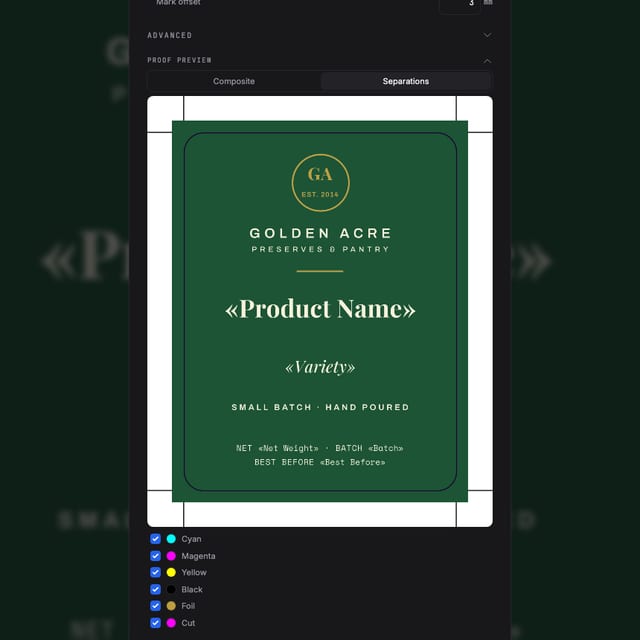
The separation proof shows every plate individually with overprint simulation. Export a PDF/X-4 where each finish is a named colorant the press RIP keys on.
The output
Judged by the separations
Real /Separation colorants
Each spot ink and finish exports as a named colorant in the PDF, with tint curves and Lab alternate values where defined, not pixels pretending to be a plate.
White ink you control
The White Ink swatch exports a genuine named White plate with correct overprint. You decide what gets backed and how much, and nothing is generated behind your back.
Overprint that behaves
Cut lines, varnish and white are set to overprint the way prepress expects, and the on-screen proof simulates it before you export.
Preflight on both sides
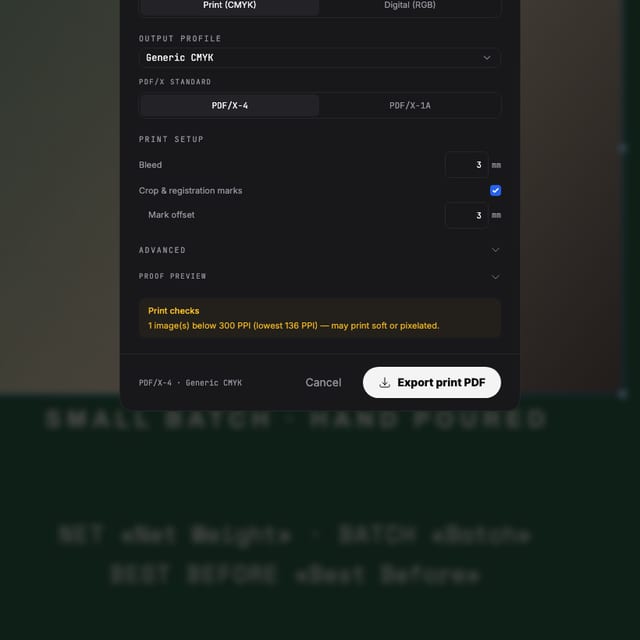
Spot-color loss, ink coverage, hairlines and low-resolution images are flagged in the editor and checked again in the RIP at export.
Made with Popcorn
Designs that use their plates
Real documents with spot inks, white plates and cut contours. Open one and inspect the separations yourself.
 Cellar Index Drink List
Edit this template →
Cellar Index Drink List
Edit this template →
 Table Setting Placemat
Edit this template →
Table Setting Placemat
Edit this template →
 Daily Sheet Menu
Edit this template →
Daily Sheet Menu
Edit this template →
 House Monogram Napkin
Edit this template →
House Monogram Napkin
Edit this template →
 Field Report Data Almanac
Edit this template →
Field Report Data Almanac
Edit this template →
 Wayfinding Floor Sticker
Edit this template →
Wayfinding Floor Sticker
Edit this template →
 Farrow Editorial Numeral Label
Edit this template →
Farrow Editorial Numeral Label
Edit this template →
 Design Academy Prospectus
Edit this template →
Design Academy Prospectus
Edit this template →
Questions
What prepress people ask first
What exactly is a "finish" here?
A swatch with a purpose. Any swatch can be a spot ink, white ink, varnish, foil, spot UV, or a die/kiss-cut line. Apply it to objects like any color, and it exports as its own named separation with overprint set correctly for that purpose.
Is the white ink plate automatic?
No, and printers prefer it that way. You apply the White Ink swatch to exactly the objects that need backing (an underlay shape, type, a logo) and you control the coverage. It exports as a genuine named White plate; nothing is generated behind your back.
Does my printer get real separations or a flattened image?
Real separations. Each spot ink and finish is a named colorant in the PDF (with tints and Lab alternate values where defined), not baked pixels. The RIP at the print shop keys on the plate names, which is why naming and overprint are handled for you.
What about trapping?
Overprint is set correctly per finish, so cut lines, varnish and white behave the way prepress expects. Trapping itself stays with your printer's RIP, which is where most shops do it anyway; preflight warns about the spot and overprint issues you can fix at design time.
Can I check the plates before sending the file?
Yes. An on-screen separation proof shows every plate individually with overprint simulation, and preflight flags ink-coverage, hairline and spot-color problems before you export.
Start now
Send the press every plate it needs.
Free to start. Set up your first spot ink today.
Also looking at packaging design, product label design ?