For sticker sellers & makers
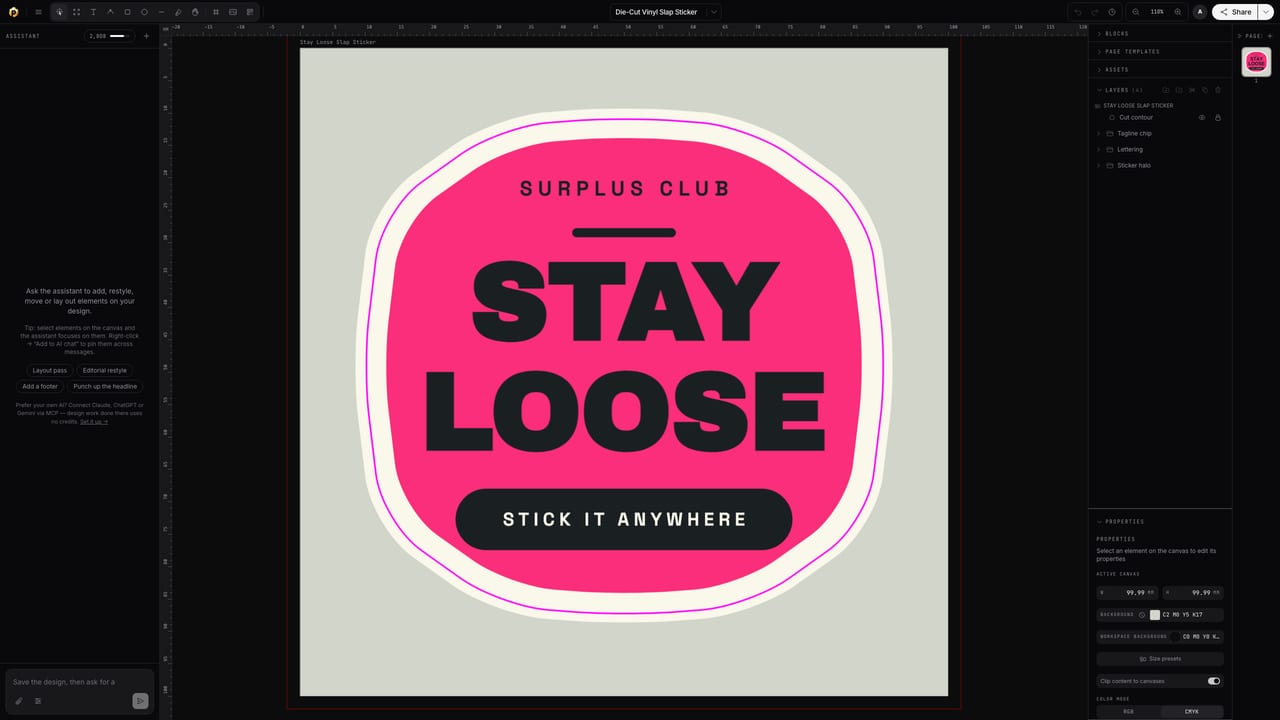
The cut contour, from your artwork.
Make die-cut and kiss-cut stickers in the browser. Popcorn traces your artwork and generates the cut line as a proper spot-color dieline, with bleed, real CMYK and step-and-repeat sheets when you produce in volume.
Free to start · Works with any sticker printer
The problem
Drawing cut lines by hand is where stickers go wrong.
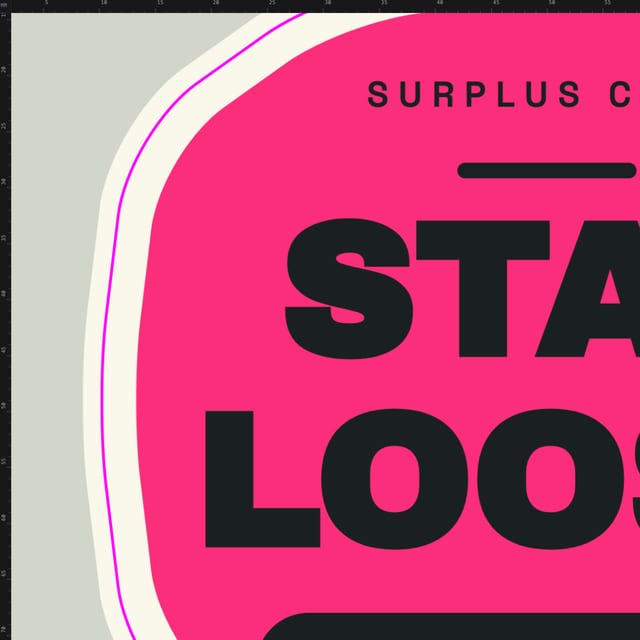
Tracing an outline in a general-purpose tool, guessing the offset, exporting it in the wrong color mode: that's how files get rejected and batches get reprinted. Here the contour is generated from the artwork itself, offset by the margin you choose, on the spot plate your printer expects.
Made with Popcorn
Start from a real die-cut sticker
These open straight in the editor. Swap the artwork; the cut contour, bleed and color setup are already done.
 Die-Cut Vinyl Slap Sticker
Edit this template →
Die-Cut Vinyl Slap Sticker
Edit this template →
 Hello My Name Is — Name Badge
Edit this template →
Hello My Name Is — Name Badge
Edit this template →
 Pack Seal Rectangular Sticker
Edit this template →
Pack Seal Rectangular Sticker
Edit this template →
 Drop Super-Graphic Round Sticker
Edit this template →
Drop Super-Graphic Round Sticker
Edit this template →
 Quality Seal Round Sticker
Edit this template →
Quality Seal Round Sticker
Edit this template →
 Die-Cut Sticker
Edit this template →
Die-Cut Sticker
Edit this template →
 Kiss-Cut Sticker Sheet
Edit this template →
Kiss-Cut Sticker Sheet
Edit this template →
How it works
Artwork to cut file
Bring the artwork
Start from a sticker template, import your art, or describe it and let AI draft the design. Everything stays editable.
Generate the contour
Popcorn traces the artwork silhouette and offsets it by your margin, die-cut or kiss-cut, circle dies included. The result is an editable vector path on its own spot plate.
Export singles or sheets
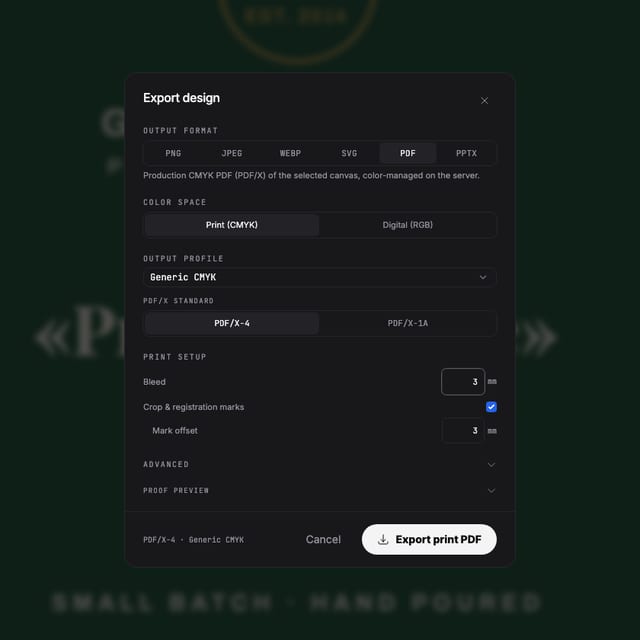
One sticker, or a step-and-repeat production sheet with trim marks, exported as one press-ready PDF with CMYK, bleed and the cut line included.
Why files pass
Built for the cutter, not just the printer
A contour, not a guess
The cut line is computed from the artwork silhouette and offset precisely, with no hand-tracing and no uneven margins, and you can still edit the path afterwards.
Named cut plates
Die Cut and Kiss Cut are purpose swatches that export as named spot separations, exactly what sticker printers key their cutters on.
Color that survives the roll
Real CMYK with ICC profiles instead of a last-second RGB conversion, so the colors on the sheet match the colors on your screen.
Sheets without spreadsheet math
Step-and-repeat imposition lays out the production sheet with trim marks, keeping every contour on its plate.
Questions
Before you upload to the print shop
How does the cut contour actually get made?
Popcorn traces the silhouette of your artwork and offsets it by the margin you choose. The result is a clean vector path on a spot-color dieline swatch, the exact format sticker printers ask for. You can edit the path afterwards like any other vector.
Die-cut or kiss-cut: what's the difference and can it do both?
Die-cut cuts through the backing to the sticker's shape; kiss-cut cuts only the vinyl, leaving the backing whole. Both are just differently named cut plates, and Die Cut and Kiss Cut purpose swatches are built in, so your printer picks them up by name.
I sell on Etsy. Can I lay out a whole sheet?
Yes. Design one sticker, then step-and-repeat imposition lays out the production sheet with trim marks, keeping every cut contour on its plate.
Will the colors print like they look on screen?
You design in real CMYK with ICC profiles, not RGB converted at the end, and preflight flags low-resolution art before you export, so what leaves the editor is what prints.
Which file do I send to the printer?
A press-ready PDF with the artwork in CMYK, bleed included and the cut contour on its own spot plate. PDF/X-4 and separations are there if your printer wants them.
Start now
Cut where you meant it to cut.
Free to start. Design and export your first die-cut sticker today.
Also looking at stickers & labels, spot colors, white ink & finishes ?