For sticker & label sellers
Die-cut ready, in minutes.
Design stickers and product labels in the browser — cut contour, bleed and CMYK handled for you. Export the file your sticker printer asks for, and stop paying for fixes and reprints.
Free to start · Works with any print shop
The problem
“Please resend with bleed and a cut line.”
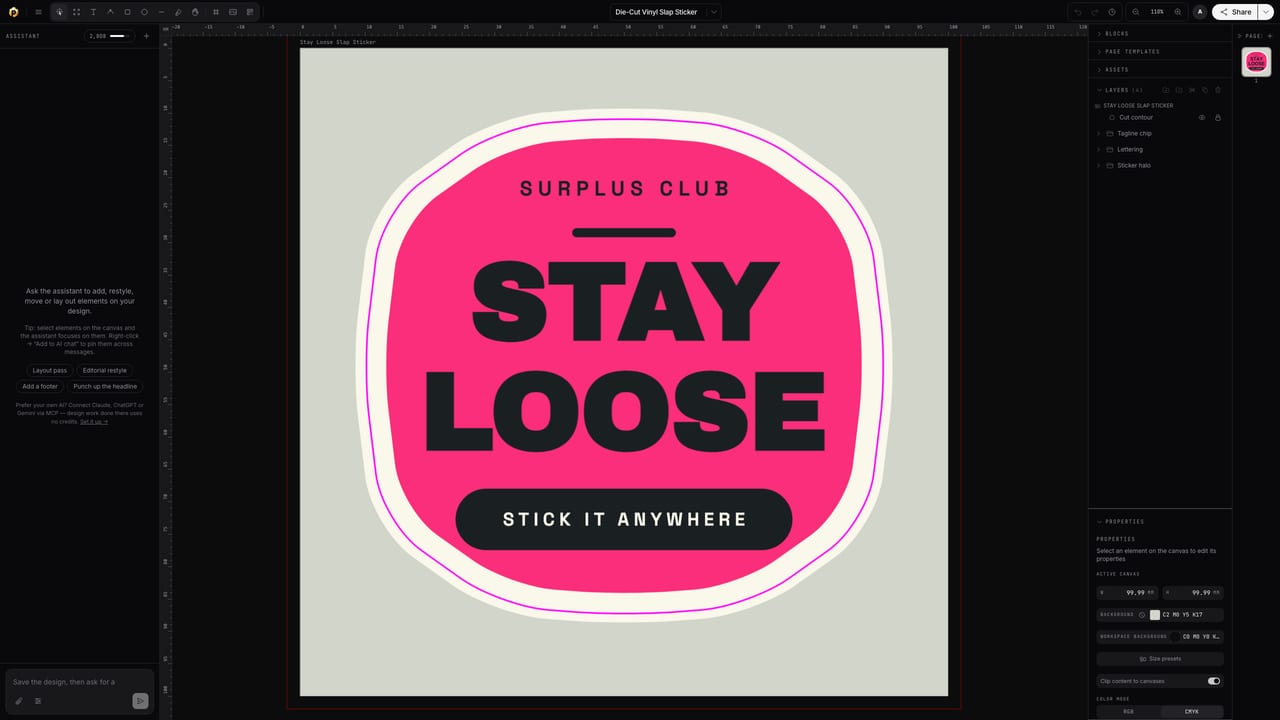
Every sticker seller knows that email. Rejections come down to three things: no bleed, RGB color, no cut contour. Popcorn sets all three up as part of the document — not as a checklist you have to remember.
Made with Popcorn
Start from a real sticker or label
These open straight in the editor — swap the artwork and text; the cut contour, bleed and color setup are already done.
 Wayfinding Floor Sticker
Edit this template →
Wayfinding Floor Sticker
Edit this template →
 Territory Oval Car Sticker
Edit this template →
Territory Oval Car Sticker
Edit this template →
 Die-Cut Vinyl Slap Sticker
Edit this template →
Die-Cut Vinyl Slap Sticker
Edit this template →
 Hello My Name Is — Name Badge
Edit this template →
Hello My Name Is — Name Badge
Edit this template →
 Cold Brew Bottle Wrap Label
Edit this template →
Cold Brew Bottle Wrap Label
Edit this template →
 Shipping Address Label
Edit this template →
Shipping Address Label
Edit this template →
 Mind Your Step Floor Strip
Edit this template →
Mind Your Step Floor Strip
Edit this template →
 Color-Coded Organizing Label
Edit this template →
Color-Coded Organizing Label
Edit this template →
How it works
Artwork to production file
Start from a template — or a prompt
Sticker and label templates come with bleed and sizing set up. Or describe your sticker and let AI draft it, then make it yours.
Get the cut contour for free
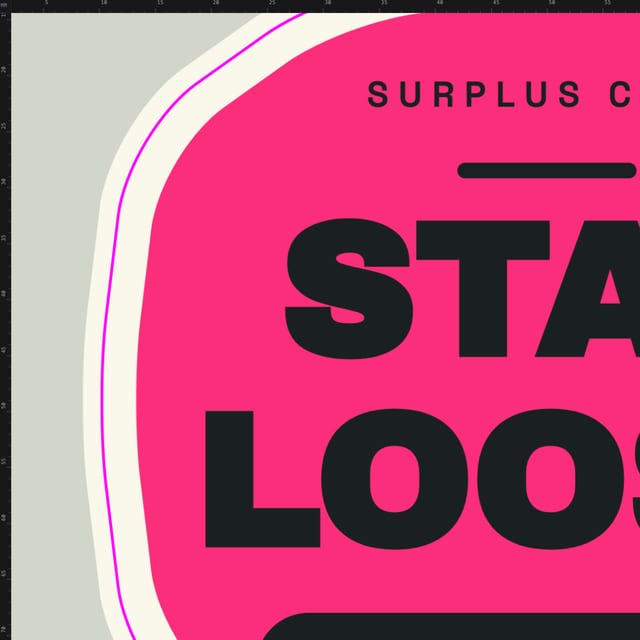
Popcorn generates an offset cut line around your artwork as a proper spot-color path — die-cut or kiss-cut, circle dies included.
Export what the printer asks for
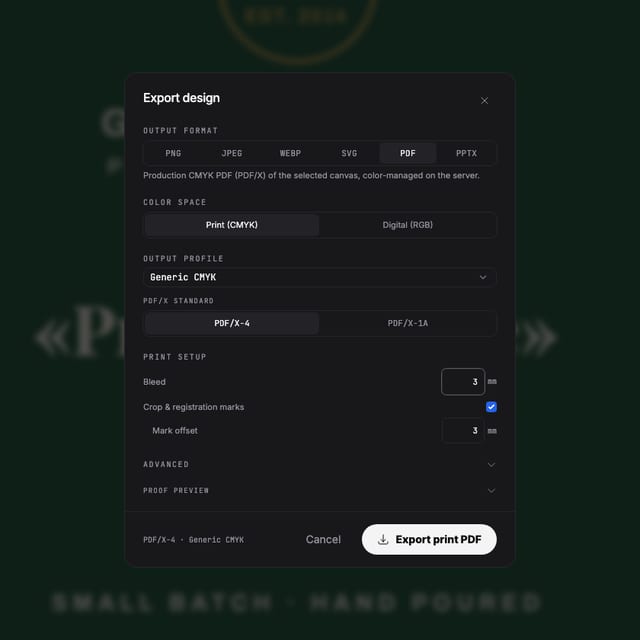
One press-ready PDF with CMYK, bleed and the cut contour included — or step-and-repeat sheets if you produce in volume.
Why files pass
Built for the sticker production line
Cut contours as spot paths
The die line exports as a named spot-color path — exactly the convention sticker and label printers key their cutters on.
Bleed that's part of the document
Trim, bleed and safe area are visible while you design, so nothing important sits on the knife line.
Color that prints like it looks
Real CMYK with ICC profiles instead of a last-second RGB conversion — so the red on the roll matches the red on your screen.
Sharp at label scale
A 300-PPI check flags photos that will print soft, and vector barcodes and QR codes stay crisp at any size.
Questions
Before you upload to the print shop
My print shop rejected my last file. How does this help?
Rejections usually come down to missing bleed, RGB color or no cut line. Popcorn sets up bleed with the document, works in real CMYK, and generates the cut contour as a proper spot-color path — the format sticker printers ask for.
I'm not a designer. Can I still get a professional result?
Start from a sticker or label template, or describe what you want and let AI draft it — then adjust text and colors. The technical print setup is handled either way.
Can it do the die-cut / kiss-cut contour?
Yes. Popcorn generates an offset cut contour around your artwork as a spot-color dieline, and can lay out step-and-repeat sheets for production.
What about barcodes and QR codes on labels?
Vector barcode and QR generators are built in — they export sharp at any size and can use spot inks.
Which file do I send to the printer?
Export a press-ready PDF with CMYK, bleed and the cut contour included. If your printer has special requirements, spot separations and PDF/X-4 are there too.
Start now
Your next batch, accepted first time.
Free to start — design and export your first sticker today.
Also looking at the full print pipeline, designing with AI ?