AI design, done properly
Describe it. Then actually edit it.
Image generators give you flat pixels. Popcorn's AI builds a real, layered design — every headline, color and image stays editable in a professional editor, and exports as production files, not screenshots.
Free AI credits included · Claude & OpenAI models
The problem
AI images look great — until you need to change one word.
A generated JPEG can't fix a typo, swap a phone number or match your brand blue. Popcorn's AI writes a design document: text is text, layers are layers, colors are swatches. Iterate with follow-up prompts or take the tools yourself.
How it works
Prompt, refine, ship
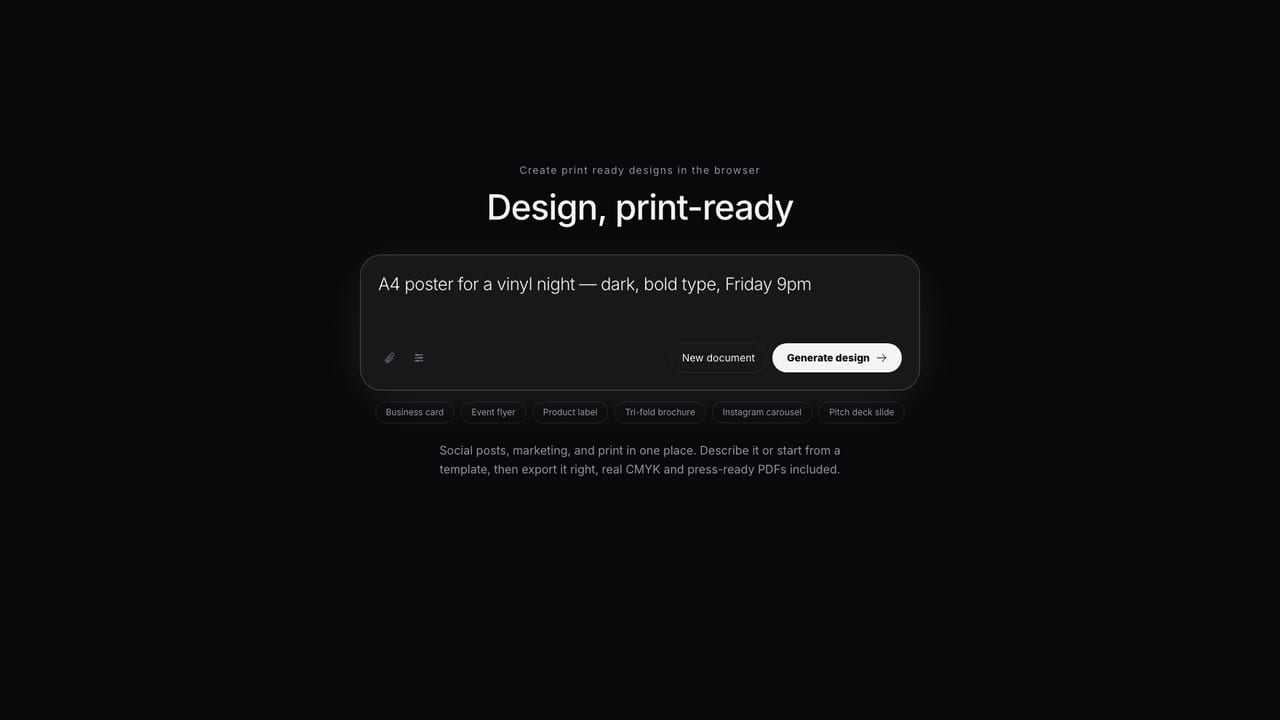
Say what you need
“A4 poster for a vinyl night, dark, bold type, Friday 9pm.” Pick the model — Claude or OpenAI — and get a structured first draft in moments.
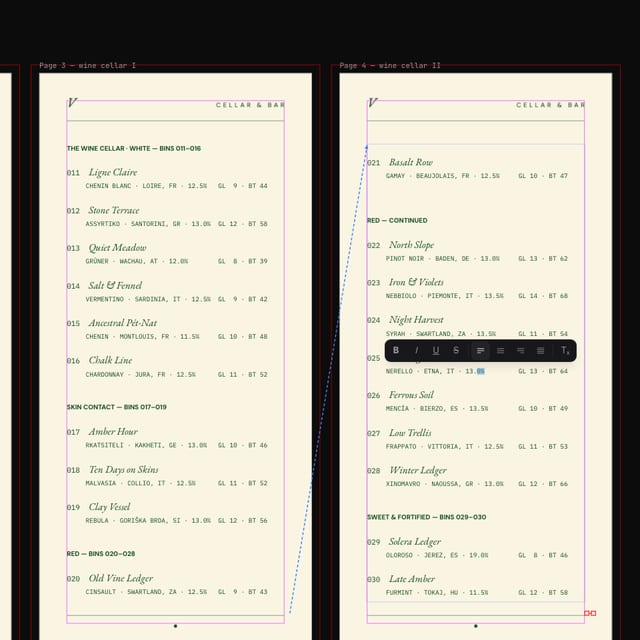
Refine like a designer
Follow-up prompts for big moves; direct editing for the details. Change type, spacing, images and colors — nothing is baked in.
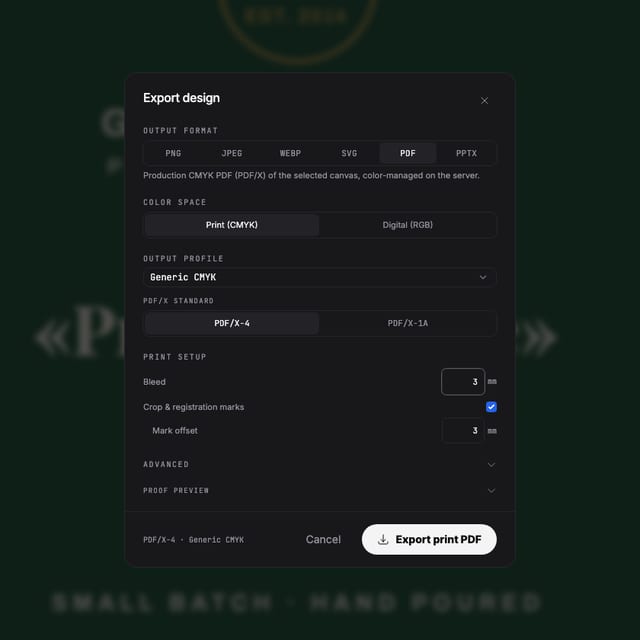
Export something usable
PNG and SVG for digital, genuine press-ready PDF for print — with bleed and CMYK when the format calls for it.
Made with Popcorn
Or start from a real design
Every template opens fully editable — the same documents the AI drafts into. Pick one and make it yours.
 Cellar Index Drink List
Edit this template →
Cellar Index Drink List
Edit this template →
 Table Setting Placemat
Edit this template →
Table Setting Placemat
Edit this template →
 Daily Sheet Menu
Edit this template →
Daily Sheet Menu
Edit this template →
 House Monogram Napkin
Edit this template →
House Monogram Napkin
Edit this template →
 Field Report Data Almanac
Edit this template →
Field Report Data Almanac
Edit this template →
 Wayfinding Floor Sticker
Edit this template →
Wayfinding Floor Sticker
Edit this template →
 Farrow Editorial Numeral Label
Edit this template →
Farrow Editorial Numeral Label
Edit this template →
 Design Academy Prospectus
Edit this template →
Design Academy Prospectus
Edit this template →
The difference
More control than a generator, more speed than a blank canvas
A design document, not a bitmap
The AI outputs structured layers, real text and named swatches — the same document you'd build by hand, arrived at faster.
Your choice of model
Generate with Claude or OpenAI models per request, and iterate conversationally without losing your manual edits.
A full editor underneath
Professional typography, styles, master pages, tables, auto-layout and live collaboration — AI is a starting point, not a ceiling.
Production-grade export
When the job is a flyer, label or poster, the export is a real press PDF with CMYK and bleed — not an image you hope the printer accepts.
Questions
Fair questions about AI design
How is this different from an AI image generator?
Image generators give you flat pixels — you can't fix a typo or swap a color. Popcorn's AI builds a real, layered design document: every headline, shape and image stays editable in a professional editor.
Which AI models does it use?
You choose the model per generation — including Claude and OpenAI models — and you can iterate with follow-up prompts or edit by hand at any point.
Can I trust AI output for real production work?
The AI drafts with correct dimensions, bleed and CMYK when your format needs print. You keep full manual control — preflight, separations and export checks run on the final file, not the prompt.
What can I export?
PNG, JPG and SVG for digital use, and genuine press-ready PDFs (CMYK, PDF/X-4, spot separations) for print.
Is it free to try?
Yes — free accounts include AI credits to generate and edit designs. Current plans and pricing are on the pricing page.
Start now
Type a sentence. Keep every pixel editable.
Free AI credits included with every account.
Also looking at the print export pipeline, how it compares to Canva ?