Works with Claude, over MCP
Your Claude can now design for print.
Connect Claude to Popcorn Editor once, then ask for what you need in plain language. Claude doesn't send back an image — it authors a real, layered design in your workspace, ready to open, edit and export as production files.
Claude.ai · Claude Desktop · Claude Code · OAuth setup in ~2 minutes
The problem
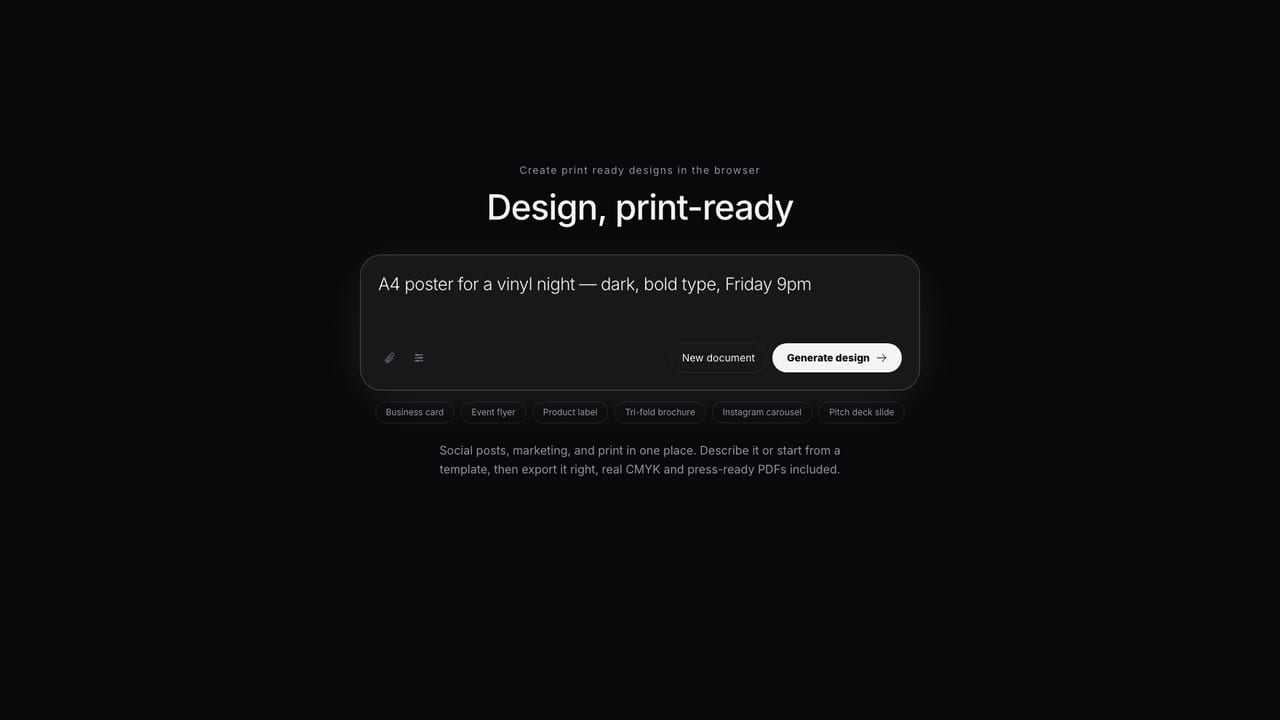
Claude can describe a great flyer. It couldn't hand you the file.
Until now the answer was a mockup image or a wall of copy to paste into a design tool yourself. Over MCP, Claude works inside Popcorn Editor directly: it reads the design schema, drafts a structured document, validates it until it passes, and creates it in your workspace — then hands you the editor link.
Connect in three steps
From Claude settings to a finished design
Add the connector
In Claude.ai or Claude Desktop: Settings → Connectors → Add custom connector. Paste your MCP URL — popcorneditor.com/mcp/popcorn — and leave the OAuth Client ID and Secret fields empty. Claude registers itself.
Sign in & authorize
Click Connect — a Popcorn sign-in page opens. Sign in and approve the consent screen. That's the whole handshake: no API keys, and you can revoke it from Claude at any time.
Just ask
“Design an A5 flyer for our summer opening — validate it, create it, give me the link.” Claude drafts, validates and creates the design, and replies with a link that opens it in the editor.
In the terminal instead? One command connects Claude Code: claude mcp add --transport http popcorn https://popcorneditor.com/mcp/popcorn Full walkthrough →
Made with Popcorn
The documents Claude designs into
Connected agents can start from these templates or from scratch — either way you get the same fully editable design document.
 Cellar Index Drink List
Edit this template →
Cellar Index Drink List
Edit this template →
 Table Setting Placemat
Edit this template →
Table Setting Placemat
Edit this template →
 Daily Sheet Menu
Edit this template →
Daily Sheet Menu
Edit this template →
 House Monogram Napkin
Edit this template →
House Monogram Napkin
Edit this template →
 Field Report Data Almanac
Edit this template →
Field Report Data Almanac
Edit this template →
 Wayfinding Floor Sticker
Edit this template →
Wayfinding Floor Sticker
Edit this template →
 Farrow Editorial Numeral Label
Edit this template →
Farrow Editorial Numeral Label
Edit this template →
 Design Academy Prospectus
Edit this template →
Design Academy Prospectus
Edit this template →
Why the results are so good
A design document, not a picture of one
Structured output by design
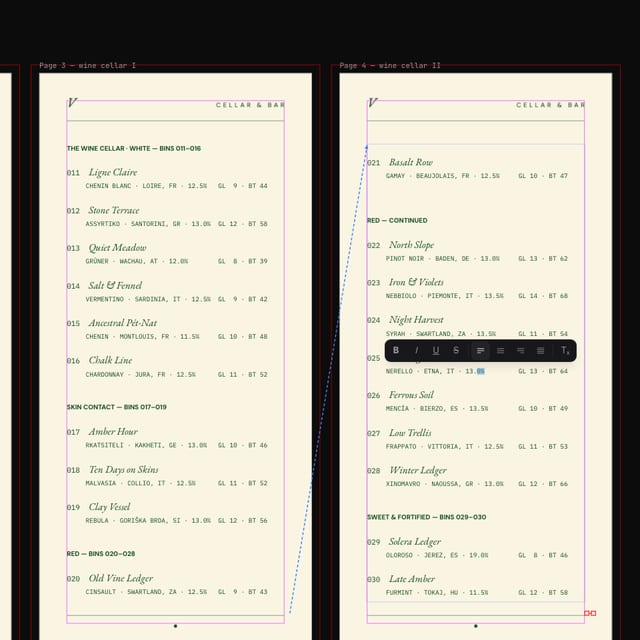
Claude writes the same layered document you'd build by hand — real text, shapes, images and named swatches. Fixing a typo or matching your brand blue is an edit, not a regeneration.
Validated before it lands
The MCP server exposes Popcorn's design schema and authoring guide. Claude loops validation until the document passes — so what arrives in your workspace is well-formed, on-format and print-aware.
A full editor underneath
Open the result and keep going — professional typography, styles, master pages, auto-layout and live collaboration. Follow-up prompts and manual edits work on the same document.
Production-grade export
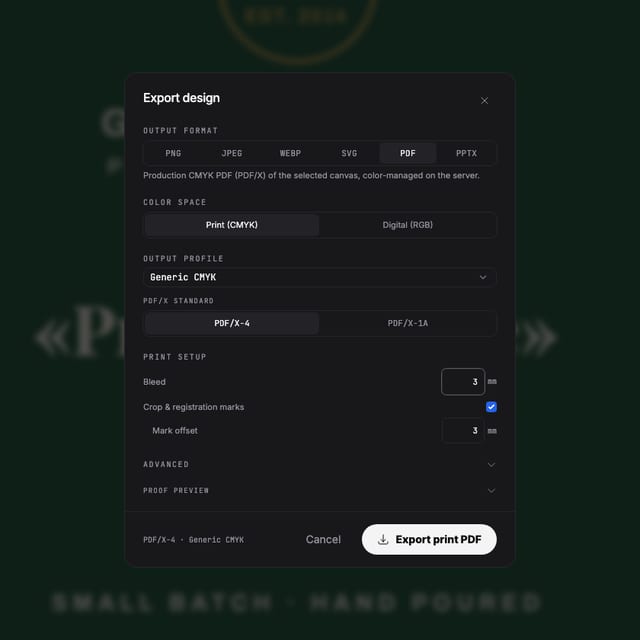
When the job goes to print, export is a genuine press-ready PDF — real CMYK, bleed, PDF/X-4 — not an image you hope the printer accepts.
Questions
Fair questions about connecting Claude
What exactly does "connect Claude" mean?
Popcorn Editor runs an MCP server — the open protocol Claude uses to work with external tools. You add Popcorn as a custom connector in Claude.ai or Claude Desktop (or one command in Claude Code), authorize with your Popcorn account, and Claude can create, read and edit designs in your workspace.
Does this use my Popcorn AI credits?
No. The connected Claude brings its own model — MCP usage consumes no Popcorn AI credits. It runs on your Claude subscription instead.
What do I need on each side?
A paid Popcorn plan (any member of a paying workspace) for agent access, and a Claude plan that includes custom connectors — Anthropic gates those to paid Claude plans. Claude Code works with a free agent token flow too.
Is the result an image, or a real design?
A real design document — layered objects, live text, named swatches, correct dimensions and bleed. Claude validates the document against Popcorn's schema before creating it, and you can open it in the editor and change anything.
Is it safe to authorize? Can I revoke access?
Authorization uses OAuth 2.1 — you sign in through Popcorn's own page and approve a consent screen; no API keys are pasted anywhere. Everything is scoped to your workspace and permission-checked server-side. Remove the connector in Claude to revoke; access lapses at the next token refresh.
Start now
Connect once. Then just ask.
MCP access is included with paid Popcorn plans — your Claude brings its own model, so no Popcorn AI credits are used.
Also looking at designing with ChatGPT, Popcorn's built-in AI ?