For people who check the separations
All the prepress control. None of the desktop.
Separations, ICC profiles, preflight, spot colors, imposition — the control you went to InDesign for, running in the browser. With live collaboration and AI drafting that desktop suites never learned.
Free to start · Nothing to install · Share by link
Fair skepticism
Browser tools earned your distrust. Judge this one by the file.
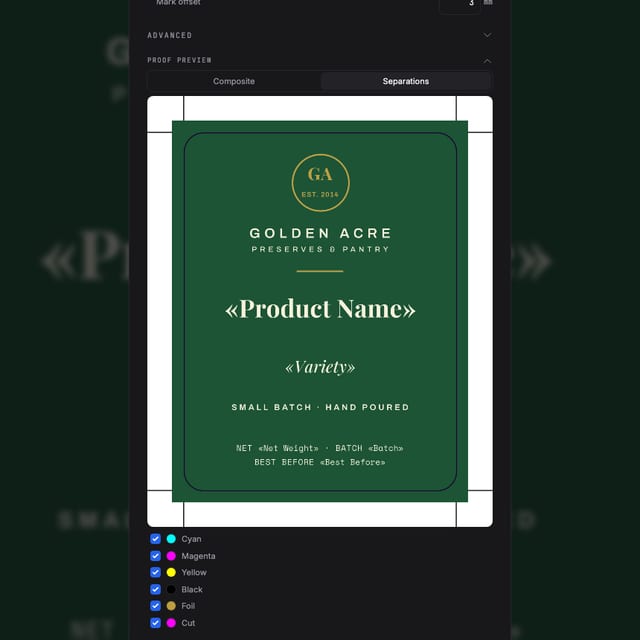
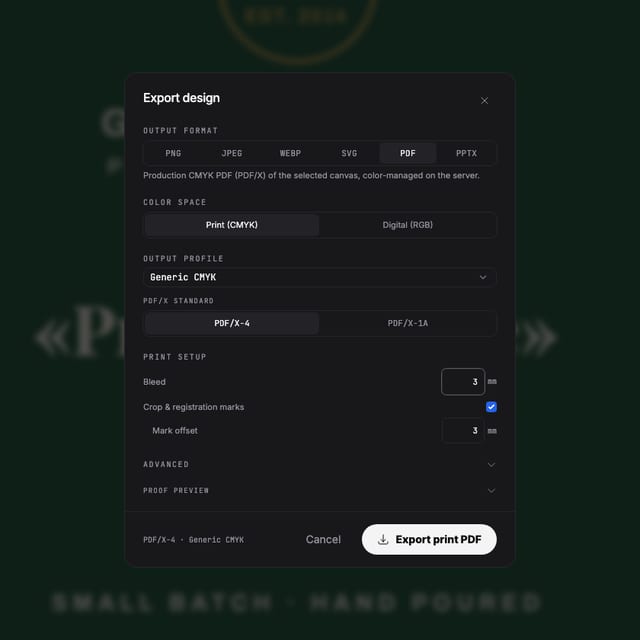
The output is the argument: PDF/X-4 through a real RIP, ICC rendering intents, spot plates with overprint, dielines as named spot paths, preflight before export. Fast is only useful when it's also correct.
The toolset
Layout tools you'll recognise by name
Typography that survives to press
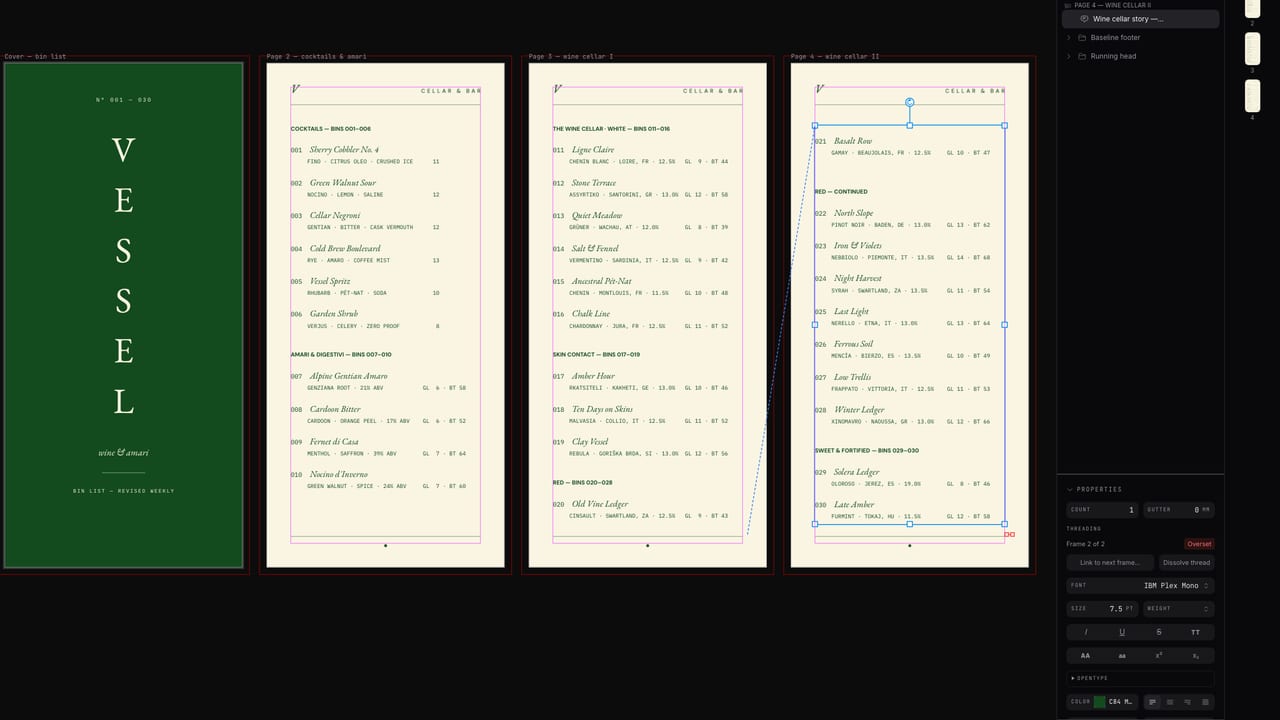
Paragraph and character styles, absolute leading in points, tab stops with leaders, text columns, threading with smart reflow, text-on-path. One text engine drives the canvas and the PDF — what you set is what rips.
Document structure
Master pages with overrides, facing-page spreads, reusable blocks, tables, data merge from CSV with per-record preview and N-up output.
Production color
Typed process and spot swatches, tints, overprint control, separation preview — plus color book import (.ase and friends) with Lab spot values.
Import and export quality
PDF, SVG and PSD import as editable objects. Export PDF/X-4, spot-separated files, dielines, imposition sheets — and PNG/SVG when the job is digital.
Made with Popcorn
Editorial layouts, built in the browser
Magazines, brochures and folders with master pages, styles and threaded text — open one and inspect the layout work yourself.
 Design Academy Prospectus
Edit this template →
Design Academy Prospectus
Edit this template →
 Field Report Data Almanac
Edit this template →
Field Report Data Almanac
Edit this template →
 Blue Chip Proposal Folder
Edit this template →
Blue Chip Proposal Folder
Edit this template →
 Object Lookbook Brochure
Edit this template →
Object Lookbook Brochure
Edit this template →
 OFFRAME Magazine Cover System
Edit this template →
OFFRAME Magazine Cover System
Edit this template →
 Tri-Fold Services Leaflet
Edit this template →
Tri-Fold Services Leaflet
Edit this template →
 Editorial Feature Magazine
Edit this template →
Editorial Feature Magazine
Edit this template →
 Welcome Aboard Enrollment Folder
Edit this template →
Welcome Aboard Enrollment Folder
Edit this template →
What changes
Three things the desktop can't do
The document is a link
No packaging, no font folders, no “final_v3_FINAL”. Reviewers open a browser tab; editors work live in the same file.
First drafts draft themselves
Describe the piece — format, bleed, copy — and AI lays out a starting point with print settings already correct. You art-direct.
Every machine is your machine
Studio desktop, client boardroom, home laptop — the full toolset follows your login, not an installation.
Questions
The prepress questions
Browser design tools are toys. Why would this be different?
Judge it on the output: PDF/X-4 through a real RIP, ICC profiles, spot separations with overprint, dielines, imposition and preflight. Those aren't toy features — they're the checklist your prepress workflow already runs.
What does it have that InDesign doesn't?
It runs in the browser with nothing to install, collaborates live like Figma (cursors, share-by-link), and drafts with AI when you want a starting point. Master pages, character styles, tables, text threading and data merge are there for the layout work.
How is typography handled?
A shared text engine drives both the canvas and the PDF export — paragraph and character styles, tab stops with leaders, columns, absolute leading in points, and text-on-path. What you set is what rips.
Can my team review without a license?
Yes — share a link. Viewers need nothing installed and no license; editors can work in the same document live.
Can I import existing artwork?
PDF, SVG and PSD import as editable objects — text, vectors and images, not a flattened preview.
Start now
Fast and correct. Pick both.
Free to start — run your own preflight on the output.
Also looking at the print export pipeline, how it compares to Canva ?