For print designers & studios
Press-ready by default.
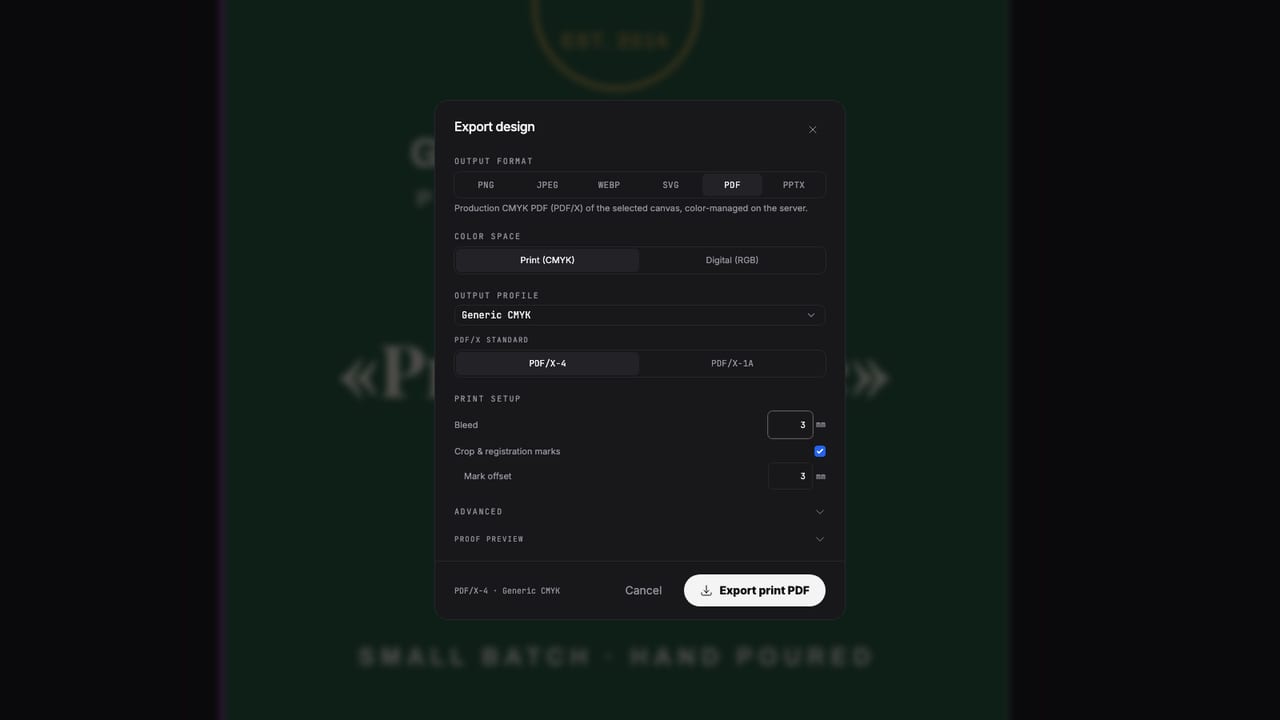
Design in the browser and export genuine press files — real ICC CMYK, PDF/X-4, spot separations, bleed and crop marks. The file your printer accepts first time, without rebuilding it in another application.
Free to start · Nothing to install
The problem
Online design tools stop where print begins.
They design in RGB and convert at export. No ICC profiles, no spot inks, no separations, no preflight — and a rejected file two days before your deadline. Popcorn runs a real prepress pipeline in the browser, so what you see on canvas is what rips on press.
How it works
From brief to press file
Set up a true print document
Pick a print format or your own dimensions — in millimetres or inches, with bleed. Font sizes in points, colors as typed CMYK or spot swatches.
Design fast, stay precise
Start from a template or a one-line AI prompt, then take over: professional typography, styles, master pages, live collaboration.
Preflight, then export
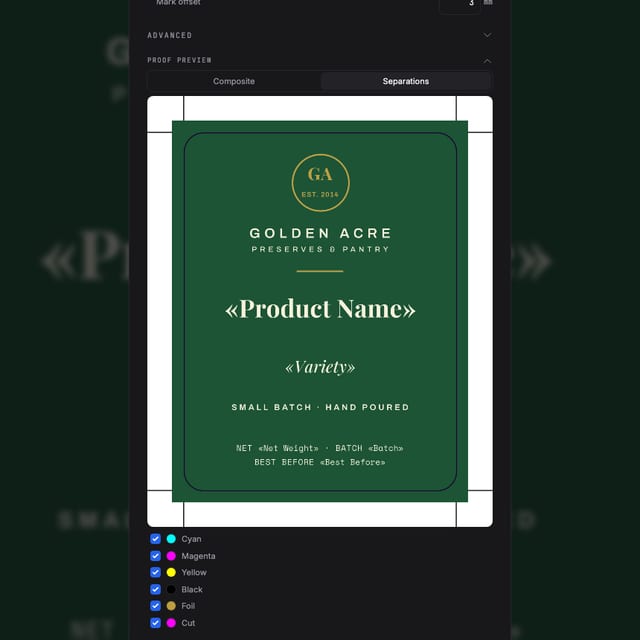
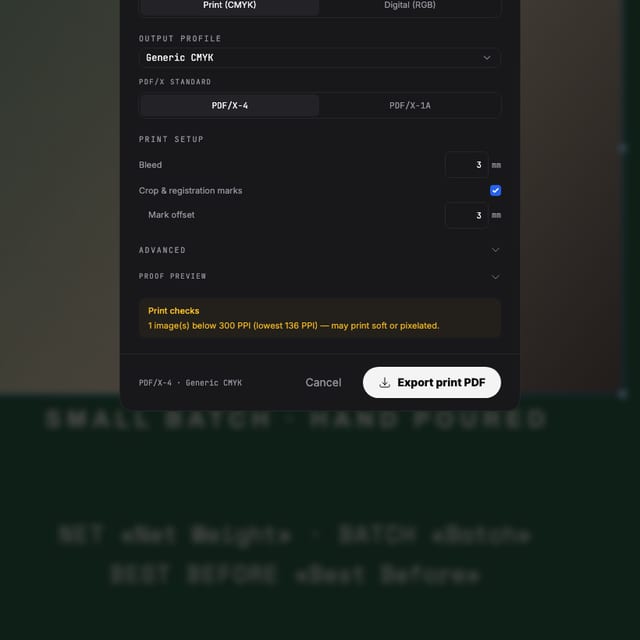
Preview every separation plate, catch low-res images and overprint issues, and export a PDF/X-4 your printer accepts as-is.
The output
Judged by the file, not the demo
Real ICC color management
Exports render through a real RIP with SWOP, FOGRA39 and GRACoL profiles — not a blanket RGB→CMYK conversion. Rich black stays rich; brand colors stay on spec.
Spot colors & separations
Typed spot swatches survive to export as true extra plates, with overprint control and an on-screen plate preview before you commit.
PDF/X-4 your printer expects
Standards-compliant press PDFs with bleed, trim and crop marks embedded — plus imposition and step-and-repeat when you produce sheets.
Preflight before it leaves you
Low-resolution images, spot-color loss and overprint conflicts are flagged in the editor — the same checks your print shop runs on arrival.
Made with Popcorn
Real designs, ready for press
Every one of these opens in the editor with CMYK, bleed and export settings already production-ready.
 Cellar Index Drink List
Edit this template →
Cellar Index Drink List
Edit this template →
 Table Setting Placemat
Edit this template →
Table Setting Placemat
Edit this template →
 Daily Sheet Menu
Edit this template →
Daily Sheet Menu
Edit this template →
 House Monogram Napkin
Edit this template →
House Monogram Napkin
Edit this template →
 Field Report Data Almanac
Edit this template →
Field Report Data Almanac
Edit this template →
 Wayfinding Floor Sticker
Edit this template →
Wayfinding Floor Sticker
Edit this template →
 Farrow Editorial Numeral Label
Edit this template →
Farrow Editorial Numeral Label
Edit this template →
 Design Academy Prospectus
Edit this template →
Design Academy Prospectus
Edit this template →
Questions
What print people ask first
Is the exported PDF really press-ready?
Yes. Exports run through a real RIP with ICC profiles (SWOP, FOGRA39, GRACoL) and produce PDF/X-4 with genuine CMYK, spot separations and overprint — not an RGB file converted at the end. You can preview the plates before you export.
Can online tools really do CMYK?
Most can't — they design in RGB and convert on export, which shifts colors and loses spot inks. Popcorn works with typed swatches (process and spot), ICC rendering intents, and separation preview, the same way prepress software does.
Does it handle bleed and crop marks?
Bleed, trim and crop marks are part of the document setup, not an afterthought. Templates for print formats come with bleed configured, and the export dialog shows exactly what your printer will receive.
How do I know my file will pass preflight?
Built-in preflight flags low-resolution images, spot-color loss and overprint issues before you export — the same checks your print shop runs when your file arrives.
What does it cost?
You can start free and export your first designs without paying. Paid plans add more AI credits and production features — current pricing is always on the pricing page.
Start now
Send your printer a file that just works.
Free to start — export your first press-ready PDF today.
Also looking at how it compares to Canva, how it compares to InDesign ?